
Always use illustrations with a purpose and never just for decoration. They should support your content, not replace it, so never rely on an illustration alone to convey information. Here are some suggestions for when to use illustrations:
- Use illustration to inspire. For example welcome or celebrate with the user for a better experience.
- Use illustration to help understanding complex tasks like an onboading.
- Use illustration to fill empty spaces. Guide users on screens like empty baskets or error pages.



HTML
<div class="on-frame" style="padding:24px 16px"><div class="demo-grid cols-3" style="gap:8px"><div style="background:var(--oc-semantic-color-background-canvas);padding:16px"><img src="/illu/015-illustration-points.webp" alt="" style="display:block;width:100%;aspect-ratio:4/3;object-fit:cover;object-position:center"></div><div style="background:var(--oc-semantic-color-background-canvas);padding:16px"><img src="/illu/001-illustration-augmented-reality.webp" alt="" style="display:block;width:100%;aspect-ratio:4/3;object-fit:cover;object-position:center"></div><div style="background:var(--oc-semantic-color-background-canvas);padding:16px"><img src="/illu/003-illustration-error.webp" alt="" style="display:block;width:100%;aspect-ratio:4/3;object-fit:cover;object-position:center"></div></div></div>Variants
Illustrations are available in the following variants:
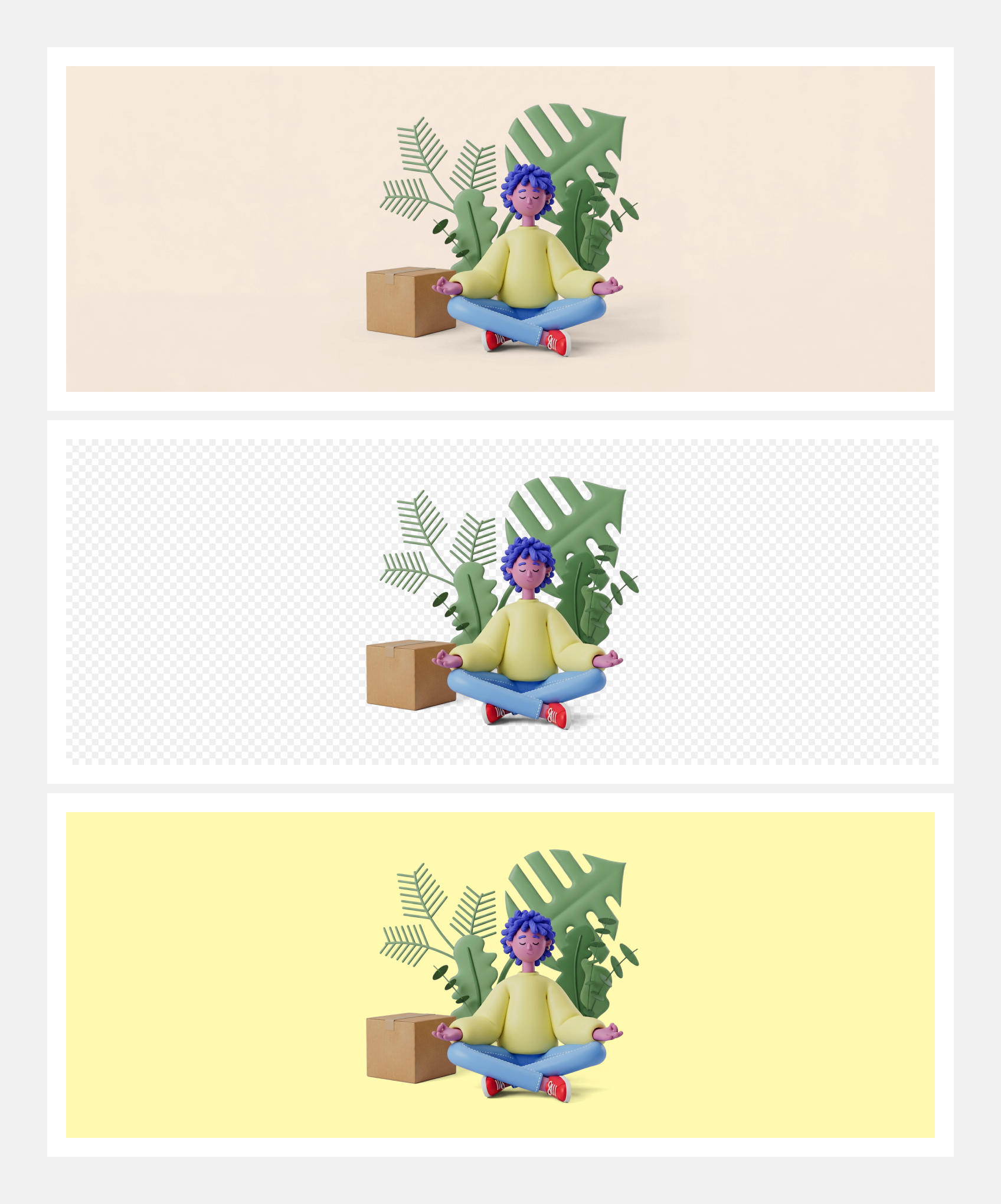
- Default: The default variant uses a beige background based on oc-base-color-beige-90 (#f5e6d7).
- Transparent: Use the transparent variant for flexible placement over colored backgrounds. It is recommended to use light colors from our base token library (e.g. oc-base-color-yellow-80).
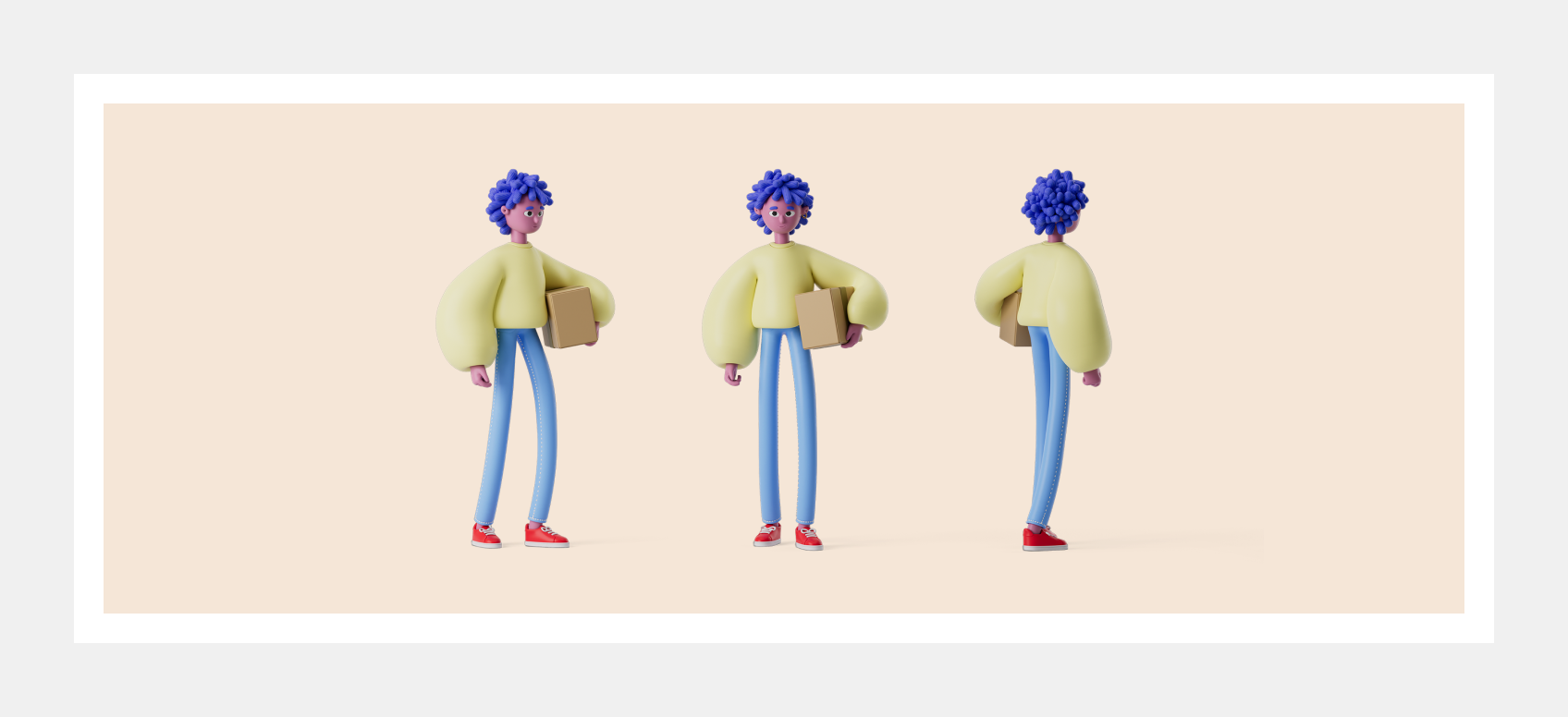
In general our illustrations display the motive from the following perspectives:
- Side
- Front
- Back
The motive can be cropped in the following ways:
- Full body
- Half body
- Close-up
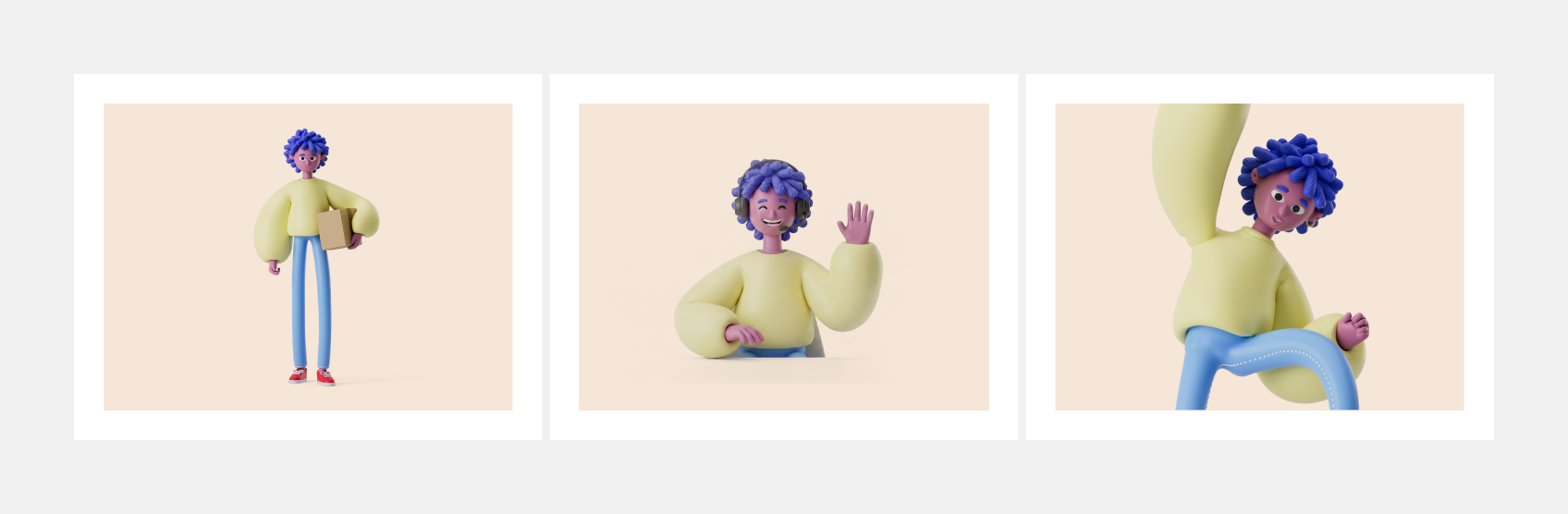
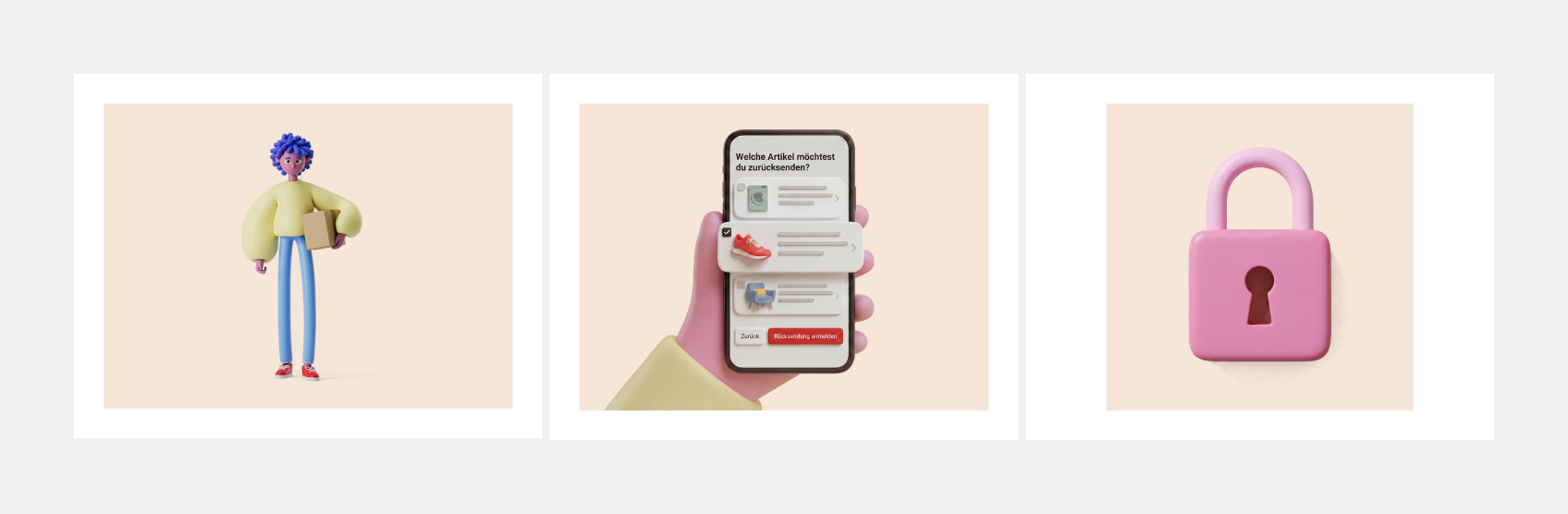
The following motifs can be included in our illustrations
- Scenery, e.g. a character holding a package.
- Mockups, e.g. a hand holding a phone with a specific screen, which is designed using wireframes.
- Objects, e.g. an object is shown in isolation, such as a lock, without a character.
Resolution
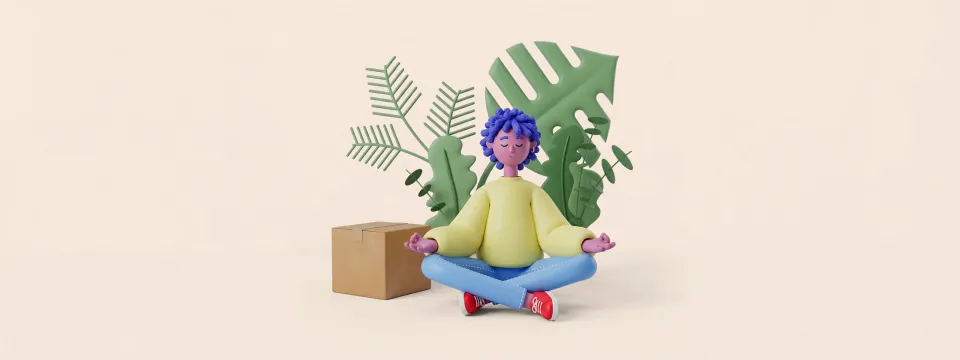
All illustrations are created in an 8:3 aspect ratio. The image is centered so that each illustration can be cropped to a 4:3 aspect ratio without any loss of detail. For illustrations with objects as the motif, it is possible to crop them at a 1:1 ratio. All illustration have a resolution of 3200x1200px and png as default format.
 8:3
4:3
8:3
4:3
HTML
<div style="display:grid;grid-template-columns:32px minmax(0,1fr);grid-template-rows:auto auto;gap:4px 8px;max-width:640px;margin:0 auto">
<span></span>
<div style="display:grid;justify-items:center;gap:2px"><span style="color:#f06;font:12px/16px ui-monospace,SFMono-Regular,Menlo,monospace">3200px</span><span style="display:block;width:100%;height:10px;background:linear-gradient(#f06,#f06) center/100% 1.5px no-repeat;border-left:1.5px solid #f06;border-right:1.5px solid #f06"></span></div>
<div style="display:flex;align-items:center;justify-content:center;gap:2px"><span style="writing-mode:vertical-rl;transform:rotate(180deg);color:#f06;font:12px/16px ui-monospace,SFMono-Regular,Menlo,monospace">1200px</span><span style="width:10px;align-self:stretch;background:linear-gradient(#f06,#f06) center/1.5px 100% no-repeat;border-top:1.5px solid #f06;border-bottom:1.5px solid #f06"></span></div>
<div style="position:relative"><img src="/illu/032-illustration-sustainable.webp" alt="" style="display:block;width:100%;aspect-ratio:8/3;object-fit:cover;object-position:center">
  <span style="position:absolute;left:8px;top:6px;color:#f06;font:12px/16px ui-monospace,SFMono-Regular,Menlo,monospace;font-weight:700">8:3</span>
  <span style="position:absolute;top:0;bottom:0;left:calc(50% - 50%/2);width:50%;border:1.5px solid #f06"><span style="position:absolute;left:8px;top:4px;color:#f06;font:12px/16px ui-monospace,SFMono-Regular,Menlo,monospace;font-weight:700">4:3</span></span>
 8:3
1:1
8:3
1:1
HTML
<div style="display:grid;grid-template-columns:32px minmax(0,1fr);grid-template-rows:auto auto;gap:4px 8px;max-width:640px;margin:0 auto">
<span></span>
<div style="display:grid;justify-items:center;gap:2px"><span style="color:#f06;font:12px/16px ui-monospace,SFMono-Regular,Menlo,monospace">3200px</span><span style="display:block;width:100%;height:10px;background:linear-gradient(#f06,#f06) center/100% 1.5px no-repeat;border-left:1.5px solid #f06;border-right:1.5px solid #f06"></span></div>
<div style="display:flex;align-items:center;justify-content:center;gap:2px"><span style="writing-mode:vertical-rl;transform:rotate(180deg);color:#f06;font:12px/16px ui-monospace,SFMono-Regular,Menlo,monospace">1200px</span><span style="width:10px;align-self:stretch;background:linear-gradient(#f06,#f06) center/1.5px 100% no-repeat;border-top:1.5px solid #f06;border-bottom:1.5px solid #f06"></span></div>
<div style="position:relative"><img src="/illu/009-illustration-lock.webp" alt="" style="display:block;width:100%;aspect-ratio:8/3;object-fit:cover;object-position:center">
  <span style="position:absolute;left:8px;top:6px;color:#f06;font:12px/16px ui-monospace,SFMono-Regular,Menlo,monospace;font-weight:700">8:3</span>
  <span style="position:absolute;top:0;bottom:0;left:calc(50% - 37.5%/2);width:37.5%;border:1.5px solid #f06"><span style="position:absolute;left:8px;top:4px;color:#f06;font:12px/16px ui-monospace,SFMono-Regular,Menlo,monospace;font-weight:700">1:1</span></span>
Principles
- No exclusivity: Illustrations can be used across different contexts; no specific illustration is reserved for a single use case.
- No text: Illustrations must never contain text within the image itself. The only exceptions are text used within interface mockups or text which is part of the motive e.g. logo of a brand.
- No details: Keep compositions simple and focused on a single core message
- Not too specific: Illustrations should be as generic and metaphorical as possible so that they can be used flexible and timeless.
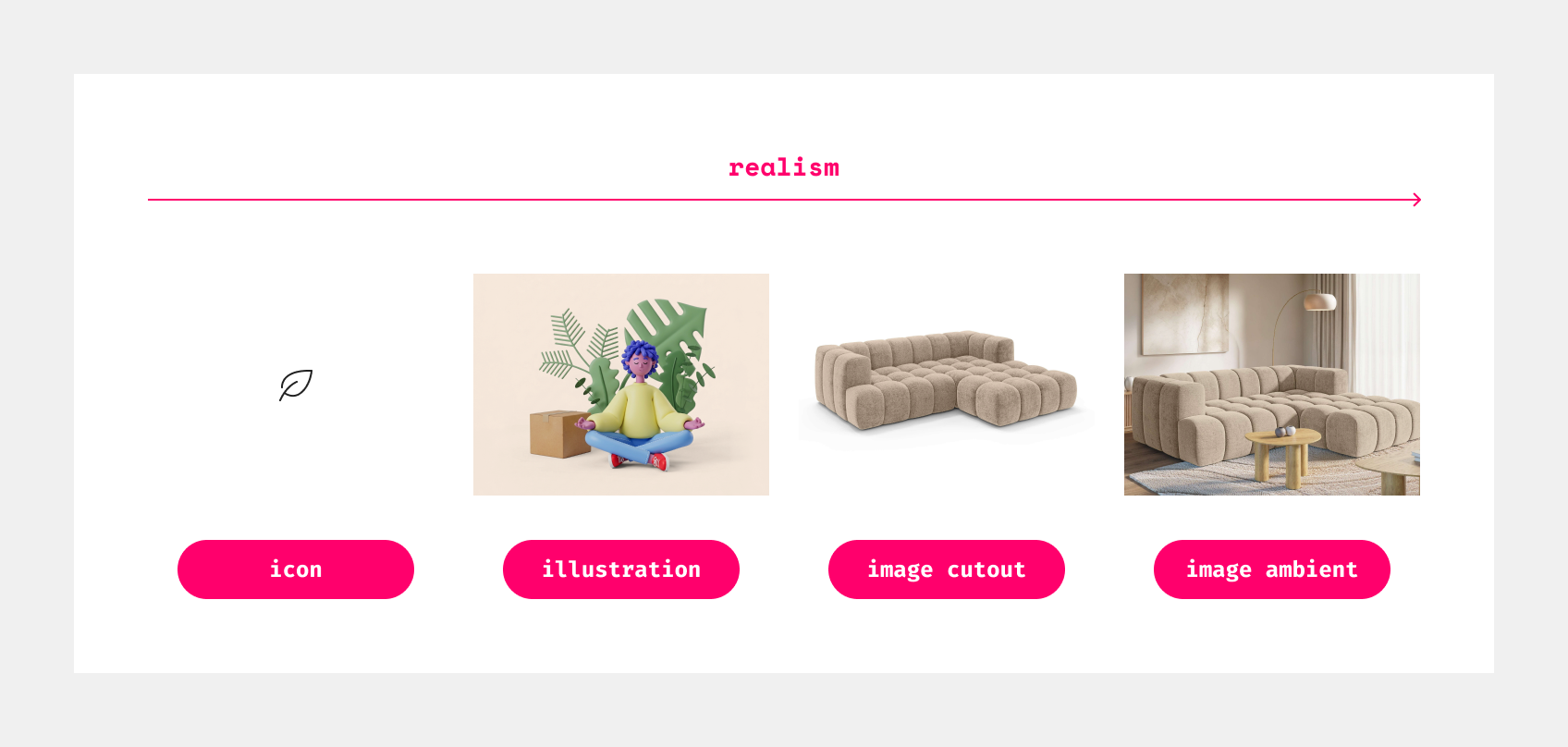
Icon vs. illustration vs. image
The primary distinction between icons, illustrations and images is the degree of abstraction. Furthermore, there is a difference in style and the goal that is being pursued.
| Type | Style | Goal | Format |
|---|---|---|---|
| Icon | One color with outline | Support affordance and visualize functionality | SVG |
| Illustration | 3D style with brand colors | Inspire and help understand | PNG |
| Image (Cutout) | Photorealistic product on white background | Show product and functionalities | JPG |
| Image (Ambient) | Mood image with product in realistic context | Inspire and stage product | JPG |
How to use illustrations
Design
For design, all illustrations can be used via our central OTTO Illustration Library in Figma. If you require a new illustration, please refer to the following process.
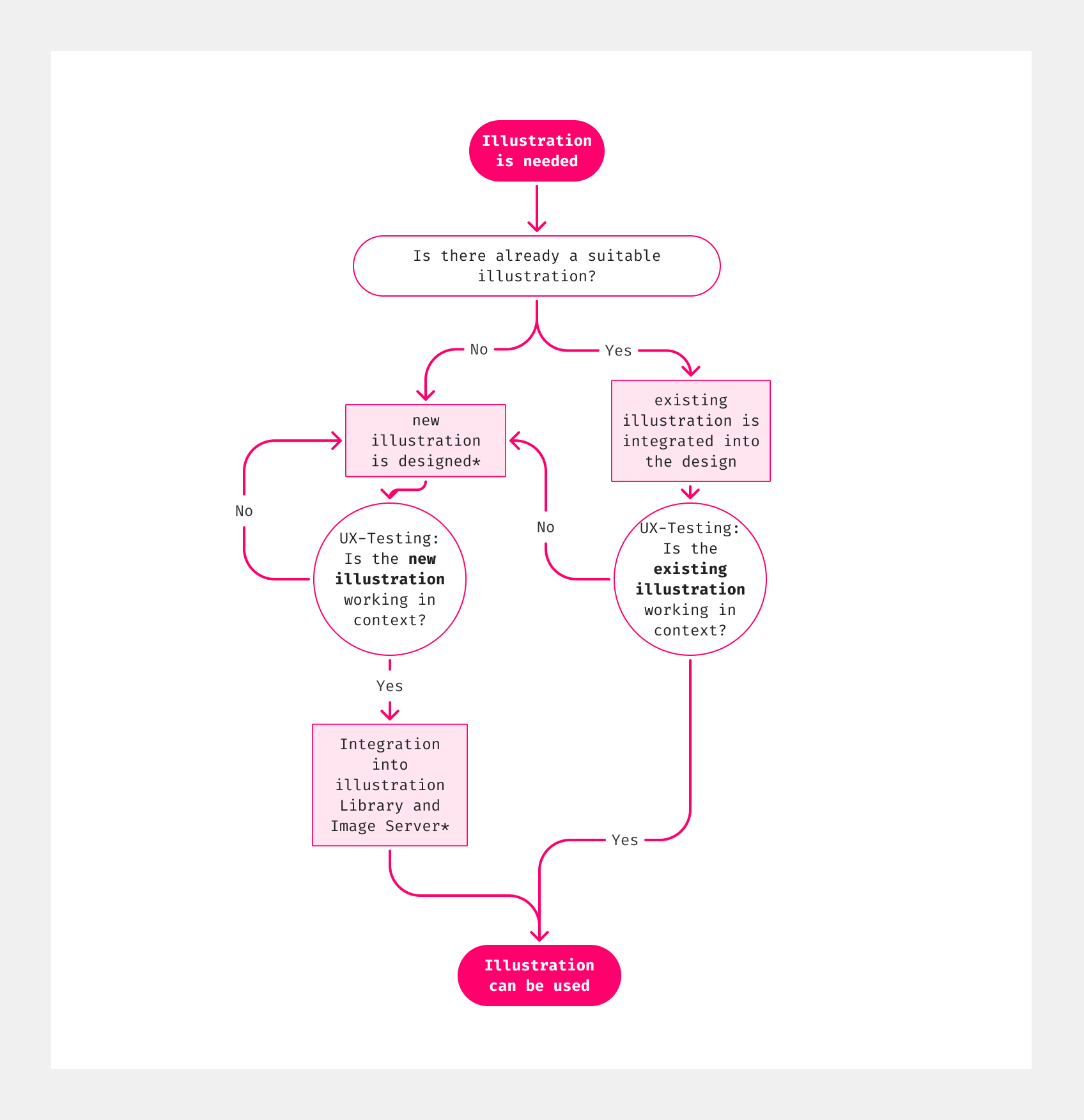
*step is executed by team Assets please get in touch with a UXD
For placing illustration follow these simple rules to place illustrations correctly:
- Leave space: Keep plenty of empty space around the illustration.
- Don't overlap: Never let the illustration touch or cover text, buttons, or other parts of the content.
- Put it on top or to the side: Place the illustration above or next to your content so the context is clear.
Do
Es tut uns Leid. Zur Zeit ist OTTO nicht erreichbar.
Versuch es in ein paar Minuten erneut.
HTML
<div style="display:grid;gap:24px"><img src="/illu/003-illustration-error.webp" alt="" style="display:block;width:100%;aspect-ratio:4/3;object-fit:cover;object-position:center"><p class="oc-copy-100" style="text-align:center">Es tut uns Leid. Zur Zeit ist OTTO nicht erreichbar.<br>Versuch es in ein paar Minuten erneut.</p><oc-button-v1 variant="primary">Erneut versuchen</oc-button-v1></div>Don't
Es tut uns Leid. Zur Zeit ist OTTO nicht erreichbar.
Versuch es in ein paar Minuten erneut.
HTML
<div style="display:grid;gap:12px"><p class="oc-copy-100" style="text-align:center">Es tut uns Leid. Zur Zeit ist OTTO nicht erreichbar.<br>Versuch es in ein paar Minuten erneut.</p><div style="position:relative"><img src="/illu/003-illustration-error.webp" alt="" style="display:block;width:100%;aspect-ratio:5/4;object-fit:cover;object-position:45% center"><oc-button-v1 variant="primary" size="50" fit-content style="position:absolute;right:8px;bottom:16%">Erneut versuchen</oc-button-v1></div></div>Development
For development, all illustrations can be used via our img server in amplience. Below are example links for the two variants:
- Default (with background):
i.otto.de › Illustration question - Transparent: i.otto.de › Illustration gift transparent
Working with transparent illustrations
To remove the background and ensure transparency, you must add the following transformation template and parameters to the end of your URL as shown above.
- Transformation template
$illustration_transparent$: Forces the image to output as a PNG with a transparent background. - Parameter
fmt=auto: Automatically delivers the best modern file format for the user's browser (like WebP). - Add
?before the transformation template and&between the parameter.
For further image manipulation, check out theamplience media delivery reference.